How to Protect Your Business From Phishing
Phishing is one of the most common and costly cyber threats facing businesses today. It can target any company—large or small—and it often works because it looks legitimate.
A phishing email might appear to come from a trusted vendor, a shipping company, your bank, or even a coworker. One click on a malicious link or attachment can lead to stolen passwords, fraudulent wire transfers, ransomware, or a full data breach.
The good news is that phishing attacks are preventable. Below are practical steps business owners can take to reduce risk and protect their business.
What Is Phishing?
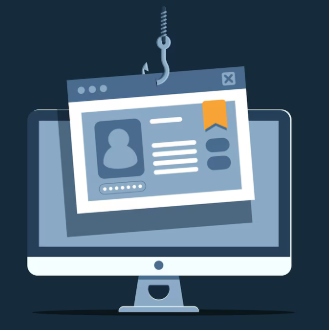
Phishing is a type of cyberattack where criminals impersonate a trusted source to trick someone into:
clicking a harmful link
opening a malicious attachment
entering login credentials
sending payment or sensitive information
Phishing can happen through email, text messages (smishing), phone calls (vishing), or social media messages.
Common Signs of a Phishing Attempt
Phishing messages are designed to create urgency and get someone to act quickly. Watch for:
urgent or threatening language (“Account will be locked”)
unexpected invoices or payment requests
suspicious sender addresses (slight misspellings)
requests for passwords or verification codes
links that don’t match the company’s website
attachments you weren’t expecting
Even well-trained employees can be fooled, especially when the message looks like it’s from a vendor or internal manager.
How to Protect Your Business From Phishing
Here are the most effective ways to reduce phishing risk:
1.Train Employees Regularly
Phishing protection starts with awareness. Your team should know:
what phishing looks like
how to spot red flags
what to do when they suspect a scam
Cybersecurity training should happen at least annually, and ideally more often.
2. Require Multi-Factor Authentication (MFA)
MFA is one of the strongest defenses against phishing. Even if a password is stolen, MFA adds another layer of protection.
Use MFA for:
email accounts
payroll systems
banking portals
cloud storage
CRM and accounting software
3. Verify Payment Requests
Many phishing attacks aim to steal money, not just data. A common scam is a fake email requesting:wire transfers
gift card purchases
ACH changes
vendor payment updates
Best practice:
verify payment requests using a second method (call the vendor using a known number)
require two-person approval for large transfers
set clear internal policies for payment changes
4. Use Email Filtering and Security Tools
Spam filters help, but businesses should consider stronger protection such as:
advanced email filtering
anti-phishing tools
attachment scanning
domain spoofing protection
These tools can block many phishing attempts before they reach employees.
5. Keep Systems Updated
Outdated software creates vulnerabilities. Make sure your business keeps up with:
operating system updates
antivirus and endpoint security updates
browser and plugin updates
network security patches
Many attacks rely on known security weaknesses that have already been patched.
6. Create a Simple Reporting Process
Employees should know exactly what to do if they suspect phishing.
Examples:
forward suspicious emails to a designated IT contact
report using a “phishing report” button (if available)
never click links to “check” if it’s real
Encourage employees to report without fear of getting in trouble. Fast reporting can prevent bigger problems.
7. Back Up Business Data
Phishing can lead to ransomware. Backups protect your business if files are encrypted or compromised.
A strong backup plan includes:
automatic daily backups
secure cloud backups
offline backup storage
routine backup testing
Why Phishing Protection Matters for Insurance
Cyber incidents can lead to:
lost income
customer notification costs
legal expenses
recovery and IT support costs
reputational damage
Cyber liability insurance may help cover certain costs related to a data breach or cyberattack, depending on the policy. The best protection is a combination of strong security practices and proper coverage.
Final Thoughts
Phishing is a growing threat, but businesses can reduce risk with employee training, MFA, verification policies, and the right cybersecurity tools.
If you are a business owner and want to understand how cyber coverage works or what protections your business may need, we’re here to help.